
Stuck on a catchy chorus but don’t know the title? Music Recognition Apps identify songs in seconds using your phone’s microphone and massive audio-fingerprint databases.
Quick actions on iOS and Android make recognition nearly instant, while Google Pixel models can even match songs on-device without an internet connection.
Humming and whistling work too on select tools, solving the classic “earworm” problem in noisy places.

How Music Recognition Works
Modern apps convert brief audio snippets into fingerprints, then compare those against cloud or local libraries. Cloud lookups enable huge catalogs and rich extras like lyrics, videos, and streaming links.
Pixel’s Now Playing adds a twist by storing a compact, region-aware database locally, allowing continuous, low-power matching while preserving privacy; Google’s own research confirms the model runs entirely on-device.
Siri and Assistant route searches to online services when appropriate, trading battery savings for broader coverage.
Fast Ways to Identify Any Song
Short setup and a clear capture angle make recognition accurate even in busy environments.
- Open a song finder app (Shazam or SoundHound) and tap the big listen button.
- Use built-ins: say “Hey Siri, what song is this?” or “Hey Google, what song is this?” for Google Assistant song search.
- On Pixel, enable Pixel Now Playing in Settings to log tracks automatically on the lock screen.
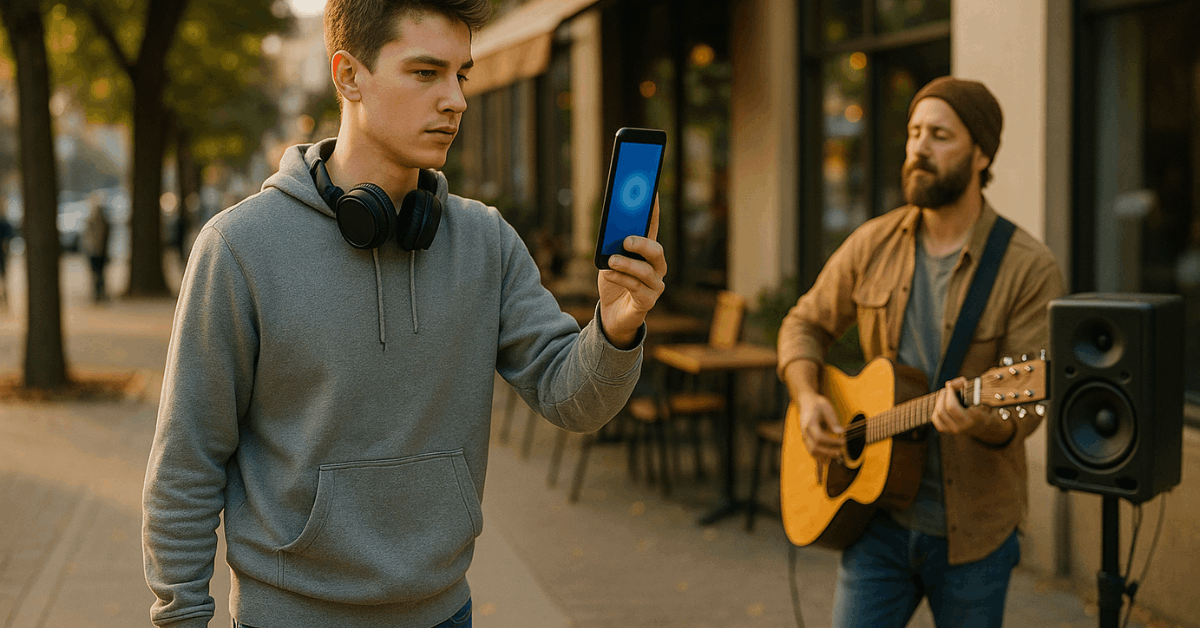
- Point the mic toward the source and wait for the match; then open lyrics, videos, or streaming links.
- No signal available? Save the tag offline in Shazam and let it resolve later once reconnected.
Dedicated music recognition apps: strengths and practical notes
Clear differences exist among the most reliable options. Each summary below highlights one or two unique advantages so selection feels easy.
Shazam (Android, iOS)
Shazam remains fast, accurate, and widely integrated. Tap the Shazam button, or turn on Auto Shazam to capture songs in the background.
On iPhone or iPad, add Music Recognition to Control Center for instant access; long-press shows a history log, and identified tracks sync to the Shazam app via iCloud.
Offline tags resolve automatically once online. Linking to Apple Music or Spotify is supported directly in the app.
SoundHound (Android, iOS)
SoundHound recognizes songs playing nearby and can identify songs by humming or whistling, useful when no speaker is available. Voice prompts like “OK Hound, what song is this?” work hands-free.
An ad-free “SoundHound Infinity” option is available as a one-time purchase on major app stores.
Genius (Android, iOS)
Genius centers on annotated lyrics and editorial extras while still offering an identify button that listens and matches songs, then opens synchronized lyrics and related info.
The Play Store listing describes holding the phone up and tapping the soundwave button to detect what’s playing.
Musixmatch Lyrics (Android, iOS)
Musixmatch excels as a lyrics recognition app with time-synced words and translations, plus an Identify tab noted by reputable roundups.
Premium removes ads and unlocks offline lyrics; current U.S. pricing is listed at $2.99/month on the App Store.
MusicID (Android, iOS)
MusicID offers a minimal interface, quick matches, and a history feed. Extras include album art, artist pages, similar-song suggestions, and even personal notes so context isn’t lost later.
BeatFind Music Recognition (Android)
BeatFind uses ACRCloud’s backend to deliver matches, then links out to Spotify, Deezer, YouTube, and more. A “party mode” syncs your camera flash to the beat for a club-style light effect, and a history log keeps prior IDs.
Soly (Android)
Soly is free but ad-heavy and introduces a virtual coin system for lookups. Tom’s Guide reports each ID attempt costs 10 coins, and watching videos earns 50 coins—fine for occasional use, less ideal for frequent tagging.
Built-in options on iPhone and Android
Convenient, no-install tools live inside your phone; setup takes a minute and pays off daily. Correct configuration also preserves a consistent log across devices.
Siri (iPhone, iPad, Mac, Apple Watch, HomePod)
Saying “What song is this?” triggers recognition; results appear in Shazam’s history and sync through iCloud when settings are enabled. Adding Music Recognition to Control Center provides one-tap access even on the Lock Screen.
Google Assistant / Song Search and Gemini on Android
Assistant can identify live audio or a hummed melody; Google’s hum to search model accepts humming, whistling, or singing for 10–15 seconds.
Gemini on Android now routes the same Song Search, though results appear in the Google app rather than inside the chat interface for now.
Pixel Now Playing (Pixel phones)
After downloading a small local database, Now Playing auto-identifies tracks in the background and lists them on the lock screen, offline music recognition designed to preserve privacy and battery life.
Google’s own research details the on-device approach.
Quick Comparison at a Glance
A brief side-by-side helps narrow choices; features reflect official documentation and recent support pages.
| Tool | Offline match | Humming support | Platforms | Notable extras |
| Shazam | Saves tags offline, resolves later | No | iOS, Android | Control Center button; Auto Shazam; Apple Music/Spotify links |
| SoundHound | Online matching; ad-free option via Infinity | Yes (hum/whistle/sing) | iOS, Android | Hands-free voice prompts; live lyrics |
| Google Assistant Song Search | Online and hum/sing | Yes | Android, iOS app | Works via voice or tap in Google app |
| Siri Music Recognition | Online identification | No | iOS, iPadOS, macOS, watchOS, HomePod | Control Center toggle; iCloud-synced history |
| Pixel Now Playing | Yes, fully on-device | No | Pixel only | Lock-screen log; background auto-ID |
Practical Tips for Faster, More Accurate Matches
Environmental control matters as much as app choice, especially in bars, gyms, or transit.
- Hold the mic closer to the speaker and reduce movement to limit reverb and crowd noise.
- Pause other media and silence calls or notifications to avoid audio overlap.
- Prefer direct playback sources over reflections; facing a TV or speaker helps.
- Use identify songs by humming in quieter spaces if no external audio exists.
- Keep apps updated and, for Pixel, let the Now Playing database complete its brief download.
Cost, Ads, and Privacy Considerations
Free tiers are the norm; ads fund most services. SoundHound offers a one-time purchase (“Infinity”) for ad-free use, while Musixmatch Premium removes ads and unlocks offline lyrics for the listed subscription price.
Pixel’s on-device matching illustrates a strong privacy posture because audio stays local; when cloud search is needed, Assistant and Shazam transmit short fingerprints rather than raw recordings.
Choose the trade-off that fits daily habits and data comfort.
Troubleshooting Common Issues
Occasional misses happen, particularly with live versions, remixes, or noisy venues. Switching apps can help because catalogs and classifiers differ.
When Siri or Assistant returns no result, try Shazam directly or hum the melody using Google’s Song Search.
Pixels struggling to match immediately after setup typically resolve once the local database finishes downloading on Wi-Fi; confirm the setting is enabled and the device is idle long enough for the update to complete.
Conclusion
Pick the fastest path for your routine, built-in shortcuts, dedicated apps, or Pixel’s Now Playing. Enable one-tap access, keep databases updated, and use humming mode when no speaker exists.
Improve accuracy through simple habits: stable mic position, reduced noise, and a direct line to the source. That combination identifies songs quickly, protects privacy, and turns earworms into saved tracks with lyrics, videos, and playable links.