
Your smartphone stores your personal data, photos, and banking details — all valuable to cybercriminals.
Choosing the best mobile security app protects you from malware, phishing, and privacy breaches.
With the right app, you can keep your phone safe without slowing it down.
Understand Why Mobile Security Matters
Your smartphone carries more than just contacts and apps — it holds personal data, messages, and access to your finances.
Protecting it is crucial because mobile threats are increasing each year. Here are the main reasons why mobile security should be a top priority for every user.
- Rising Cyber Threats: Hackers often target smartphones with malware, spyware, and phishing links to steal personal data.
- Sensitive Data Storage: Phones contain private information such as photos, passwords, and payment details that must be safeguarded.
- Online Banking and Shopping: Transactions made on unsecured devices can expose financial data to cybercriminals.
- App Permissions Risks: Some apps request unnecessary access to files, camera, or location, creating privacy vulnerabilities.
- Wi-Fi Exploits: Using public Wi-Fi without protection can allow attackers to intercept your data.
- Device Theft or Loss: Without anti-theft tools, a lost phone can give strangers full access to your accounts and identity.

Key Features to Look for in a Mobile Security App
When you install a mobile security app, you want more than just marketing claims.
The right app gives you real protection, privacy control, and peace of mind.
Below are the key features you should check to make sure the app truly defends your phone.
- Real-Time Threat Detection: Continuously scans for malware, viruses, and rogue apps.
- Web & Phishing Protection: Blocks harmful sites, links, and downloads instantly.
- App & Permission Monitoring: Lets you control app access to data, camera, and location.
- Anti-Theft Tools: Offers remote lock, GPS tracking, and data wipe options.
- Privacy & Data Encryption: Secures your files and connections with strong encryption.
- System Performance & Compatibility: Runs smoothly without draining battery or storage.
- Frequent Updates & Support: Keeps protection current with regular updates and support.
- Safe Browsing & Network Protection: Adds VPN or Wi-Fi security for safe online use.
Evaluate App Reputation and Developer Credibility
When you’re choosing a mobile security app, it’s not enough to look at the features.
You also need to check the app’s reputation and the developer’s credibility. This ensures the app comes from a trusted source and will protect you reliably.
- Ratings & Reviews – Look for consistent positive user feedback and detailed comments.
- Developer Track Record – Check how long the developer has been active, other apps they offer, and their history of updates.
- Update Frequency – The app should receive regular updates to handle new threats and fix bugs.
- Permissions & Transparency – Confirm the app’s required permissions make sense, and its privacy policy is clear.
- Independent Test Results – Look for results from trusted labs showing the app’s effectiveness in detecting threats.
- Widespread Adoption – A large user base and long presence on official stores suggest reliability.
- Red Flags – Be cautious if the app has very few reviews, a new developer with no history, or requires excessive permissions without a clear reason.
Consider Compatibility and Performance Impact
When picking a mobile security app, ensure it fits your phone and runs smoothly. A good app protects you without slowing performance.
Here are key points to check for compatibility and efficiency.
- Device compatibility: Ensure the app supports your phone’s operating system version and hardware.
- Storage & memory usage: The app should use minimal storage and RAM so your phone stays fast.
- Battery impact: Choose one that uses low battery power even when running scans in the background.
- Performance impact: The app should not cause lag, slow boots, or heavy load times.
- Hardware constraints: On older phones, pick an app optimized for low-spec devices.
- Update size and frequency: Big or frequent updates may affect performance and data usage.
- Network usage: Ensure it doesn’t use too much data when syncing or protecting via cloud services.
- Uninstall impact: Ensure that removing the app cleans up leftover files and doesn’t slow down your device.
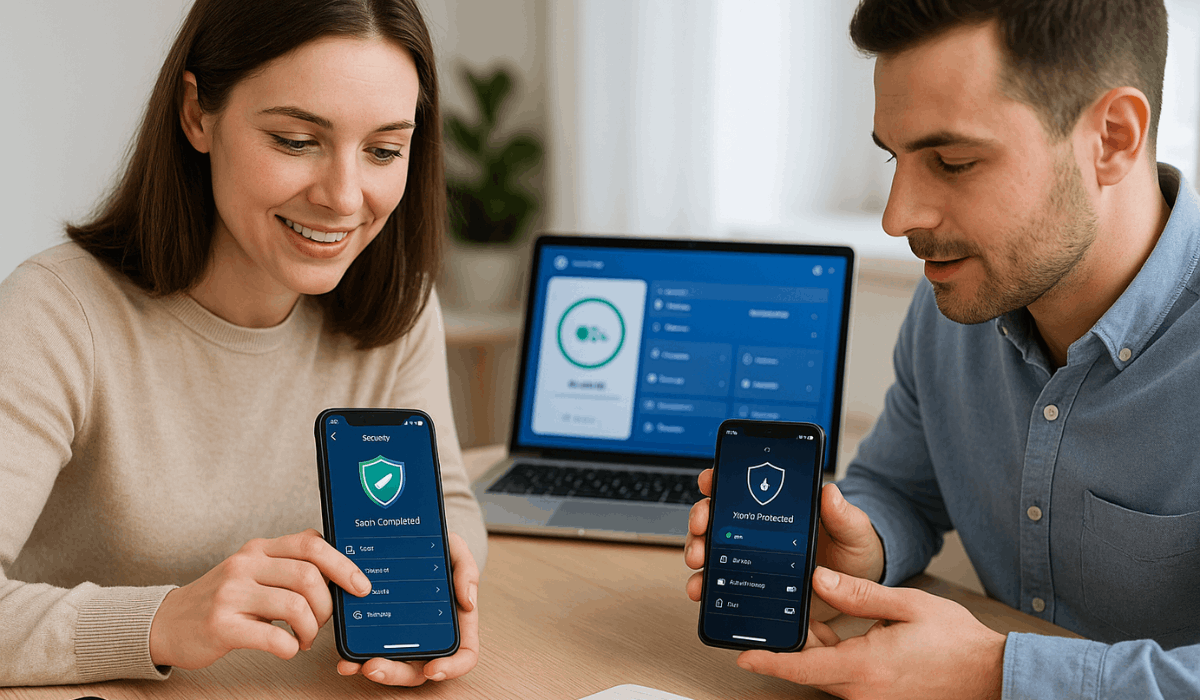
Free vs. Premium Versions – What’s Worth Paying For
When picking a mobile security app, you’ll see both free and premium options.
Free apps offer basic protection, while premium ones add stronger tools and privacy features. Here’s a quick guide to help you decide what’s worth paying for.
- Basic threat protection (Free): Covers core features like malware scanning and standard virus detection.
- Ad-supported model (Free): Free apps may include ads or limited features to push upgrades.
- Advanced web & phishing protection (Premium): Blocks malicious websites, links, and phishing attempts more comprehensively.
- VPN and secure Wi-Fi access (Premium): Encrypts your internet connection, which is essential on public networks.
- Identity theft and data-breach monitoring (Premium): Alerts if your details get exposed online.
- App locking / extra privacy tools (Premium): Adds layers like securing specific apps with PINs, deeper permission controls.
- Cost evaluation vs. your needs: Free works for basic use; choose premium for sensitive data or public Wi-Fi.
- Upgrade justification: Ask if the extra features make a real difference for you before paying. Many free versions already offer strong basics.
Check Data Privacy and Permissions Before Installing
Before you install a mobile security app, you need to check how it handles your personal data and what permissions it asks for.
Ensuring the app uses only necessary permissions helps protect your privacy and reduce hidden risks.
- Review permissions: See what data the app wants to access, like camera or location.
- Match purpose: Avoid apps asking for access unrelated to their function.
- Watch risky permissions: Be cautious with access to camera, mic, or contacts.
- Read privacy policy: Ensure it clearly explains data use and sharing.
- Limit data collection: Choose apps that request only essential permissions.
- Check updates: Trusted apps revise and remove outdated permissions.
- Audit regularly: Recheck and remove unnecessary permissions as they accumulate over time.
Testing and Comparing Before Committing
Before you settle on a mobile security app, it’s smart to test and compare a few options.
Doing this helps you find the one that fits your device, budget, and security needs best.
- Try free trials: Use trial versions to explore premium features before paying.
- Compare scan accuracy: Check how well each app detects and removes threats.
- Test performance impact: Monitor if the app slows down your phone or drains battery.
- Check ease of use: Pick one with a simple interface and clear settings.
- Read expert reviews: Look at independent lab tests and comparisons online.
- Evaluate support quality: See if customer service is quick and helpful.
- Consider overall value: Balance price, protection level, and features before committing.
Recommended Mobile Security Apps
Protecting your phone from threats starts with choosing a strong mobile security app.
Below are some highly recommended apps that offer adequate protection on Android and iOS.
Each has its own strengths—you should match them to your needs and budget.
- Bitdefender Mobile Security – Offers top‐tier malware protection, minimal performance impact, and features like web protection and anti‐theft tools.
- Norton Mobile Security – Strong overall protection, including Wi-Fi network monitoring, safe web browsing, and app risk analysis.
- McAfee Mobile Security – A full mobile protection suite with anti‐malware, identity monitoring, and unlimited VPN.
- Avast Mobile Security – Free version decent for basic protection: malware scanning, privacy tools, and network security.
- AVG AntiVirus & Security – Free and well‐rated; good starting point for basic mobile threat defense.
- TotalAV Mobile Security – A user‐friendly option, especially for iOS, with an intuitive interface and extras like photo cleanup.
To Conclude
Choosing the right mobile security app protects your data, privacy, and peace of mind.
Always compare features, reputation, and performance before deciding.
Start securing your phone today by installing a trusted app that fits your needs.