
Digital note-taking has become an essential part of staying organized and productive in both work and study.
Using note-taking apps helps you capture ideas quickly, manage tasks efficiently, and access information anytime.
This article explains the key benefits of these tools and how they can simplify your daily workflow.
What Are Note-Taking Apps?
Note-taking apps are digital tools that let you record, organize, and manage information across devices.
They replace traditional notebooks by allowing you to store text, images, voice notes, and links in one place.
With syncing and search features, these apps make it easier to access and review your notes anytime.
Why Note-Taking Apps Improve Productivity
Note-taking apps boost productivity by helping you capture, organize, and find information easily.
They cut distractions from scattered notes and keep you focused. Here are the key reasons they make work and study more efficient.
- Instant Idea Capture: Quickly jot down thoughts before they’re forgotten.
- Centralized Organization: Keep notes, tasks, and reminders in one place.
- Easy Search and Tags: Find specific details instantly using keywords or labels.
- Cross-Device Syncing: Access your notes anytime from your phone, tablet, or computer.
- Task Integration: Link notes with calendars or to-do lists for better workflow.
- Clutter-Free Workspace: Replace physical notebooks and stay digitally organized.

Benefits for Work and Study
These digital tools are valuable for professionals and students who want to stay organized and productive.
They make managing tasks, tracking goals, and recalling information much easier. Below are the main benefits they provide for work and study.
- For Professionals: Keep meetings, deadlines, and project details in one organized space.
- Real-Time Collaboration: Share and edit files instantly with teammates.
- Faster Workflow: Spend less time searching through scattered documents.
- For Students: Store lessons, assignments, and study materials efficiently.
- Better Review Process: Record lectures and attach visuals for easier recall.
- Consistent Access: Sync across devices so important notes are always available.
Collaboration Features in Note-Taking Apps
When you work or study with others, collaboration tools matter. The right app supports shared editing, clear communication, and keeps everyone aligned.
Here are key collaboration features to look for.
- Real-time editing: Multiple users can edit the same document simultaneously, so your team sees updates instantly.
- Commenting and discussion threads: You and your team can leave comments or feedback directly in the document without switching to other chat apps.
- Shared workspaces or notebooks: Create a shared space where everyone can access and update important files easily.
- Permission and access controls: Set who can view, edit, or comment on notes — keeping sensitive information secure.
- Version history and change tracking: See who made changes and revert to earlier versions if needed to avoid losing work.
- Integration with team tools: Connect with apps like calendars, chat platforms, and file storage to keep info flowing and avoid switching tools.
Data Security and Backup Options
Maintaining strong security and reliable backups is critical when using note-taking apps.
You want to protect your data from loss, theft, or unauthorized access. Here are key features to look for.
- End-to-end encryption: Your data is encrypted on your device and only you hold the decryption key.
- On-device encryption: Notes are encrypted even while stored on your own device.
- Two-factor authentication (2FA): Adds extra login security to prevent unauthorized access.
- Automatic cloud backups: Your notes are regularly backed up to the cloud, so you don’t lose them if your device fails.
- Offline access & local export options: You can save or export notes locally in formats like .txt or .md for offline storage.
- Permission/access controls and version history: Allows you to set who can view/edit notes and roll back changes if necessary.
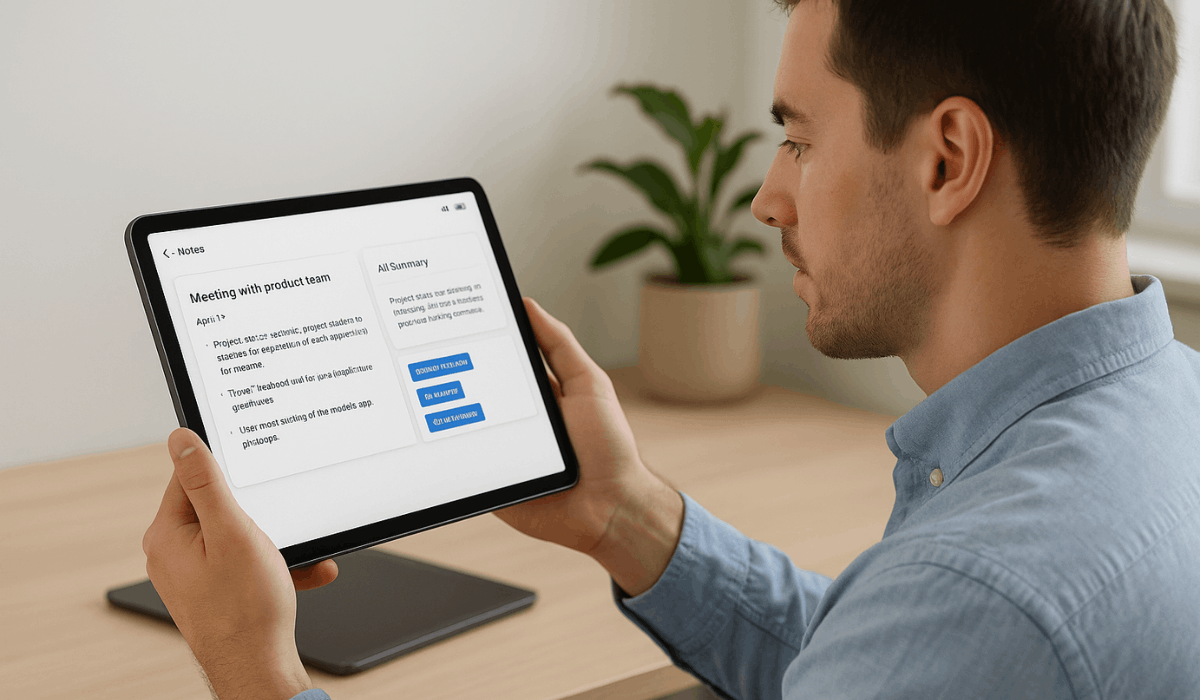
AI Integration in Modern Note-Taking Apps
Modern note-taking tools increasingly use artificial intelligence (AI) to make your work easier and faster.
These features help you capture, summarise, and organise information automatically. Below are key AI integrations you’ll encounter in advanced note-taking apps.
- Automatic transcription: Converts spoken words into text during meetings or lectures.
- Smart summarisation: Creates concise summaries of long notes or discussions.
- Keyword extraction & tagging: Identifies main ideas and assigns tags for easier retrieval.
- Interactive Q&A or search: Lets you ask questions like “What were the key decisions?” and retrieves answers from your notes.
- Task- and action-item detection: Turns sections of notes into tasks or follow-ups automatically.
- Integration with calendars and workflows: Links notes with schedules, tasks, and other tools using AI suggestions.
Integrating Note-Taking Apps into Your Routine
When you make digital note-taking part of your daily routine, it becomes a natural part of how you work and learn.
With a few simple habits, you can use it more effectively. Here are practical ways to integrate it into your workflow.
- Define your purpose: Decide what you want to use the tool for (meeting notes, study review, idea capture).
- Choose a consistent time: Use the app at the same point each day (morning review, after classes, end-of-day wrap-up).
- Create folders or tags by context: Set up categories like “Work”, “Study”, “Projects” so your notes are organized.
- Use templates or quick-capture formats: Have standard layouts (e.g., “Summary”, “Action Items”, “Questions”) ready.
- Review and clean up weekly: Spend a short session each week to archive old notes, delete what you don’t need, and update tasks.
- Sync across devices and stick to one primary tool: Make access seamless between phone, tablet, and computer to avoid fragmented workflows.
- Link notes to tasks or calendar entries: Convert necessary entries into actions or schedule reminders so notes lead to real results.
Popular Note-Taking Apps to Try
If you want efficient tools to capture, organize, and access your information, several reliable platforms can meet your needs.
Here are some of the most popular apps to try for improving your daily workflow.
- Evernote: Feature-rich platform with notebooks, tags, and attachments.
- Notion: Combines notes, databases, wikis, and tasks into one workspace.
- Google Keep: Simple and fast, great for quick captures and integrating with Google services.
- Microsoft OneNote: Handy for structured notes, especially if you use Microsoft 365.
- Bear: Elegant, Markdown-friendly, ideal for Apple users or focused writing.
Final Takeaway
Using digital note-taking tools can make your work and study more organized, efficient, and stress-free.
They help you capture ideas, stay focused, and manage information anywhere.
Start exploring the best app for your needs today and turn smarter note-taking into a daily habit.