Applying for a free phone with Food Stamps can make staying connected more affordable. Many individuals and families face high phone costs. Knowing how to access these programs can help those receiving government assistance.
This guide explains who is eligible, how the process works, and practical tips for maximizing your benefits. It's especially helpful if you use SNAP (sometimes called Cupones de Alimentos) and want modern communication tools without extra expenses.
What Is the Free Phone Program for Food Stamp Recipients?
The main program offering this benefit is called Lifeline . It's a federal initiative to provide discounted or free phone service to qualifying low-income households.
Lifeline works nationwide and partners with several mobile carriers. Qualified applicants receive either a free basic phone or significant discounts on their phone bills, depending on location and provider availability.
Who Qualifies for a Free Phone?
Eligibility often depends on participation in government programs. If you have an active SNAP (Food Stamps/Cupones de Alimentos) case, you're likely to qualify for Lifeline.
Other qualifying programs can include Medicaid, Supplemental Security Income, and Federal Public Housing Assistance. Income limits also apply, usually around 135% of the federal poverty guidelines. This may vary by state.
How the Application Process Works
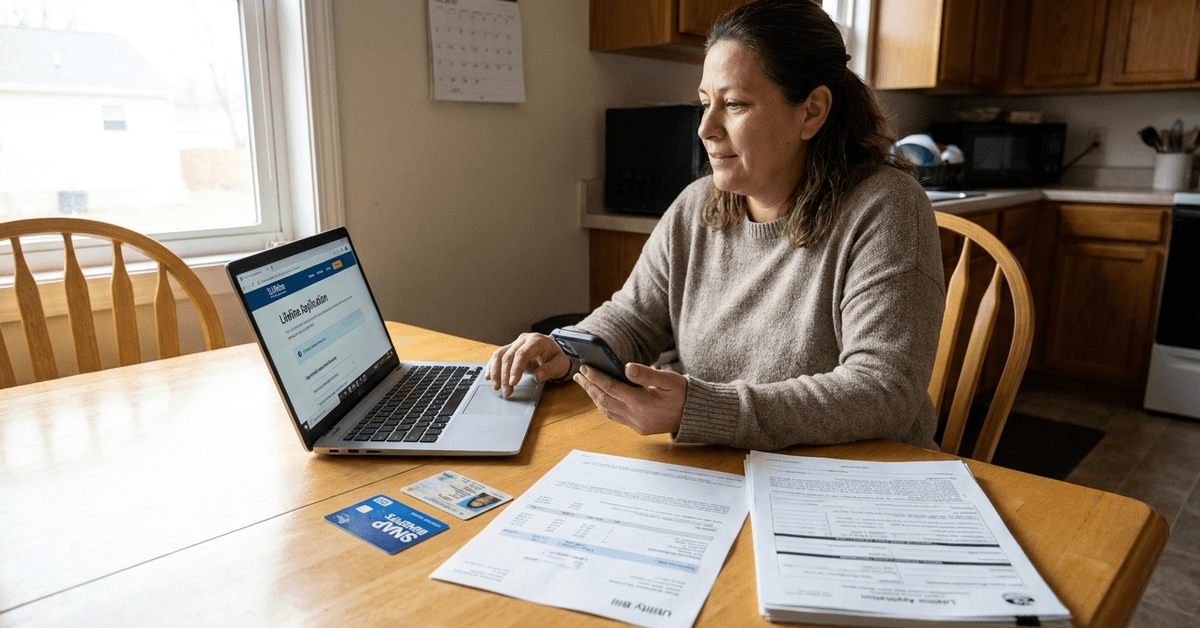
The application requires some personal details. You'll need to prove your SNAP enrollment, identity, and address. Typically, this process is straightforward but may require careful document preparation.
Step 1: Find a Participating Lifeline Provider
Start by researching carriers in your area that offer Lifeline. Assurance Wireless is popular in states like California, Texas, and Florida. Another option, SafeLink, operates widely through TracFone.
Step 2: Gather Required Documents
- Government-issued photo ID (like a driver’s license or state ID)
- Proof of address (a utility bill or lease)
- Proof of SNAP/Food Stamps (EBT card or approval letter)
Having copies of these documents can reduce delays. Digital uploads are typically accepted by most carriers for online applications.
Step 3: Submit Your Application
Apply directly through the provider's website or in person at authorized retail locations. For instance, Assurance Wireless and SafeLink both feature clear online forms.
If you prefer, calling a local provider office can offer personal guidance and clarify unclear requirements. Some places, such as New York City, even have enrollment events at public libraries or community centers.
Step 4: Wait for Approval and Phone Delivery
Processing times range from a few days to two weeks. Once approved, most providers ship the free phone to your home address. If you signed up in-store, same-day pickup may be available in select areas.
Popular Lifeline Providers by State and City
Availability varies by city and state. Here’s a look at where some major providers operate and their unique benefits:
- Assurance Wireless: Prominent in Los Angeles, Houston, Atlanta—offers free Android smartphones with unlimited talk and text and a monthly data allotment.
- SafeLink Wireless: Works with TracFone; available widely from Miami to Chicago—provides BYOP (Bring Your Own Phone) options.
- Q Link Wireless: Accessible in Dallas, Detroit, and Phoenix—highlighted by easy online application and customer support in English and Spanish.
For those living in rural areas, options like enTouch Wireless or Tag Mobile may be better suited. Coverage maps are provided on each provider’s website, and comparing offers can take a bit of research.
Key Tips for a Smooth Application
Preparing accurate documents and understanding application requirements can help simplify the process and prevent unnecessary delays.
Following practical application tips ensures better organization, reduces common mistakes, and supports a smoother overall experience.
- Keep documents up to date and accessible, since expired proofs can cause complications or denials.
- Apply early, since high demand in cities like New York and Los Angeles sometimes slows approval times.
- Reach out to state public assistance offices or SNAP case managers for help if you’re unsure about eligibility paperwork.
Phone Options: What Devices Are Included?
The type of free phone can vary. Most providers offer entry-level to mid-range Android smartphones. Some carriers allow you to bring an existing phone if it meets compatibility standards.
Additional features, like free texting or basic data plans, are included. Recent device models may differ by location or when supplies are limited. For higher-tier devices, small upgrade fees can apply.
Using Your Free Phone: Apps and Useful Tools
Phone access opens up opportunities for savings and convenience. Some helpful apps and platforms include:
- MyBenefits App: Check SNAP balances and manage benefits (available in several states).
- Google Maps: Plan routes to work, grocery stores, or public offices.
- WhatsApp and Zoom: Stay in touch with family or attend virtual appointments.
Set up phone security features to protect your information. Installing anti-virus software can add peace of mind, especially for online forms and sensitive benefit apps.
Managing Your Lifeline Benefit After Signup
Most Lifeline benefits require annual recertification. Providers notify you when this is due. Failing to respond could lead to deactivation and service loss.
- Review benefit notices promptly.
- Keep all forms or letters received from the provider.
- Update your address or contact information with the provider if you move.
If your eligibility changes—for example, if you no longer receive SNAP—report this change right away, as required by federal rules.
Common Pitfalls and How to Avoid Them
Understanding common application pitfalls helps applicants avoid errors, incomplete documentation, and unnecessary processing delays.
Following practical prevention strategies can simplify the process, reduce potential complications, and improve the overall application experience.
- Watch for unofficial services that charge fees for applications. Always use recognized Lifeline carriers.
- Read the terms from each provider carefully since limitations on talk, text, and data may impact your usage.
- If rejected, check if documents were complete and current. Unsure what went wrong? Asking for feedback can clarify the issue for reapplication.
Conclusion: Empowering Communication for SNAP Recipients
Access to a free phone with Food Stamps provides an essential bridge to resources, family, and jobs. Programs like Lifeline have helped millions in urban and rural communities.
Understanding eligibility, gathering documents, and carefully following each provider's application steps can improve your chances for quick approval. Staying connected supports daily life, job searching, and managing benefits with less worry.
This process—while detailed—offers a real, practical path to reliable connectivity for anyone currently navigating the challenges of food insecurity or changing work situations. For many, the result is greater freedom and peace of mind.